

Published: By Trucell7 min read
How to choose a radiology IT support provider: a checklist for imaging practices
Choosing a radiology IT support provider? Test PACS and RIS ownership, archive restores, display QA, certified security and the transition plan first.
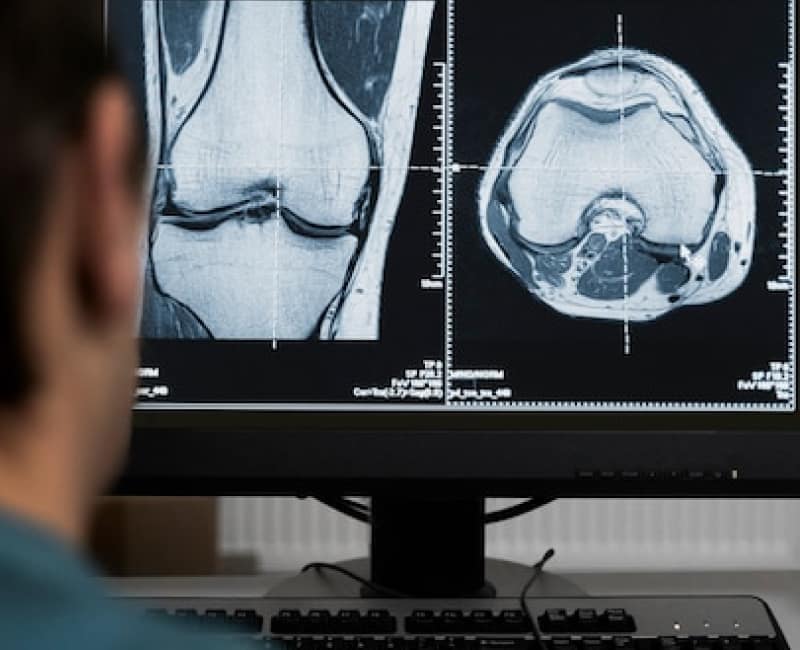
Your imaging practice runs on a chain most patients never see. A modality acquires the study, the worklist tells it who the patient is, the study travels to PACS, the RIS tracks the booking and the report, and a radiologist reads it on a display that has to stay diagnostic. When one link fails mid list, patients keep arriving and referrers keep ringing the front desk.
That is why choosing a radiology IT support provider is a different decision from choosing an office IT company. This checklist sets out the questions worth asking before you sign, what a good answer sounds like, and the red flags that tell you a provider will learn radiology on your time.
Why medical imaging IT support is its own discipline
A generalist managed service provider measures tickets and endpoints. An imaging practice depends on things a ticket count never shows: image availability, reporting rhythm, DICOM pathways, archive retrieval, and diagnostic display integrity.
The failure pattern is familiar to most practice managers. A modality stops sending studies, and the person triaging it is a sonographer or receptionist rather than someone who knows the DICOM pathway end to end. The PACS vendor points at the network, the network provider points at the RIS, and your practice manager ends up running the conference call while the worklist backs up.
A provider that understands medical imaging IT support removes that loop by treating modality, PACS, RIS, network, and workstation issues as one system.
Seven questions to ask any radiology IT support provider
1. Who owns the whole read path?
Ask who is accountable when a study does not arrive. A strong answer names one owner across DICOM routing, Modality Worklist, interfaces, storage, and the network underneath, with that owner coordinating your PACS and RIS vendors using the technical detail already gathered.
A good provider manages the environment your platforms run on rather than pushing you to replace them. Trucell’s PACS and RIS managed service is built for mixed stacks such as Intellirad Voyager, QUBS, ClariRad RIS, and Karisma.
2. Can they prove the archive comes back?
A nightly job that reports success is not evidence. Ask when the provider last restored a prior study or the RIS database, how long it took, and where that record lives. If nobody can remember, retention obligations and continuity plans are resting on hope.
Look for backup and recovery tested against realistic imaging volumes, with immutable copies where ransomware is a concern.
3. Is the network designed around DICOM traffic?
Modalities, the PACS archive, reporting workstations, reception PCs, and guest access should not share one flat network. On a flat network, one phishing click at the front desk can reach the scanners and the archive.
Ask how the provider segments clinical imaging from the office LAN, and how they size bandwidth for modality traffic and multi site image transfer. In one Fortinet rollout for an Australian radiology group, Trucell deployed 81 Fortinet appliances (26 FortiGate firewalls, 35 FortiSwitch units, and 20 FortiAP access points) under central FortiManager and FortiAnalyzer management, so policy stayed consistent from clinic to clinic.
4. Do they treat diagnostic displays as clinical equipment?
Reading room and clinical review displays drift out of calibration, and the risk usually goes unnoticed until someone asks for the QA paperwork. Ask whether the provider keeps calibration and QA records and plans display lifecycle replacement in waves.
At Quantum Radiology Bankstown, a mobile workstation was paired with an LG Clinical Review Monitor with automatic DICOM calibration so studies are viewed to a recognised standard. More on display programmes is on the medical displays page.
5. Is their security certified with imaging in scope?
Many providers say they follow good practice. Ask to see what is independently audited, and whether the audit scope actually covers imaging.
Trucell Pty Ltd is ISO/IEC 27001:2022 certified by Citation Certification, and the certified scope explicitly includes PACS/DICOM administration and the DICOMJet platform. Trucell also holds an annual SOC 2 Type II report, available to reviewers under NDA, and runs IRAP assessed, ISM aligned security operations. Detail on what an imaging board and insurer should expect is on cyber security for radiology, and the Essential Eight page covers patching and application control planned around modalities that cannot simply reboot mid list.
6. Can they support home reading and multi site groups?
If radiologists read from home or across sites, ask how the provider handles VPN, bandwidth for study transfer, workstation builds, and display QA at the radiologist’s desk. Home reading should match group policy rather than run on consumer kit with no support path.
For shared services across sites, the Crystal Radiology DICOMJet expansion centralised DICOM printing through Ripple Networks with the capability hosted in Trucell’s data centre, so sites share one managed service instead of separate print paths.
7. How will they move you across without losing a reading list?
Changing provider should not cost a session. Ask for the transition plan in writing. A sound plan looks like this:
- Review the PACS and RIS estate, modality connectivity, network, backup evidence, display QA, and security posture.
- Reduce risk by verifying archive and RIS backups with real restores, documenting DICOM pathways, interfaces, and vendor contacts, and agreeing a rollback plan.
- Transition around reading lists, with a staged cutover sequenced around session times and reporting deadlines.
- Operate and prove with monitoring, tested updates, backup evidence, and reporting a practice owner can hand to a board, insurer, or auditor.
If you are also changing PACS, the PACS migration checklist covers the vendor side.
What good looks like in a real practice
The Baulkham Hills Radiology fit out shows the full scope in one place: HP workstations for reception, reporting, and clinical areas; a Fortinet high availability network tied to hosted FortiManager and FortiAnalyzer; Voyager RIS and PACS with on premise and cloud paths via Ripple Networks; LG diagnostic monitors calibrated with LG; 3CX voice; and fibre connectivity with NBN backup. Ongoing operations cover desktops, servers, printers, network, modality integration, segmentation, and standardised Windows images.
Workflow belongs in the same conversation. Westside Medical Imaging is trialling RADForms across three sites, with forms bound to the Modality Worklist and PDFs linked to each study in PACS. When the team supporting your IT also builds workflow products such as RADForms and ClariRad RIS, it understands how patients, forms, orders, and studies actually move.
Recovery is part of the record too. Trucell carried out a full estate rebuild and security recovery for Quantum Radiology Group after a serious cyber event, with work that supported cyber insurance placement after assurance reviews.
Red flags to watch for
- Every imaging incident starts with you explaining what a modality worklist is.
- Backup reports say success, but nobody can show a timed restore of the archive.
- Security is described as best practice with no certification scope covering imaging.
- Patching windows are planned as if the practice were an office, with modalities rebooting mid list.
- The transition plan has no rollback step and no mention of reading lists.
A scorecard you can use this week
Score each provider you are comparing against these items:
- One named owner across modality, PACS, RIS, network, and workstations.
- A dated record of the last archive and RIS restore, with the time it took.
- Clinical imaging segmented from office and guest networks.
- Display calibration and QA records, with a replacement plan.
- Independently audited security with PACS/DICOM in scope, and a SOC 2 Type II report available under NDA.
- A written home reading design if radiologists report remotely.
- A staged transition plan with a documented rollback.
Where to start
You do not need to switch provider to find out where you stand. Existing imaging practices can book the free 7 day Imaging Practice IT Risk Audit: read only access and a written report you keep, with no obligation to engage afterwards.
If you want the whole practice view, read about radiology practice IT support from Trucell’s Parramatta based team, which brings almost two decades of radiology and medical imaging work across 50+ healthcare sites. Practices in Western Sydney can also see managed IT support in Parramatta. When you are ready to talk, contact Trucell and mention your PACS and RIS platforms, modality count, and how many sites and reading locations you run.