

Published: By Trucell5 min read
How to use the new Trucell website: a reader's tour
Trucell launches its rebuilt website: content for your region and language, two clicks from problem to page, real customer outcomes, and direct contacts.
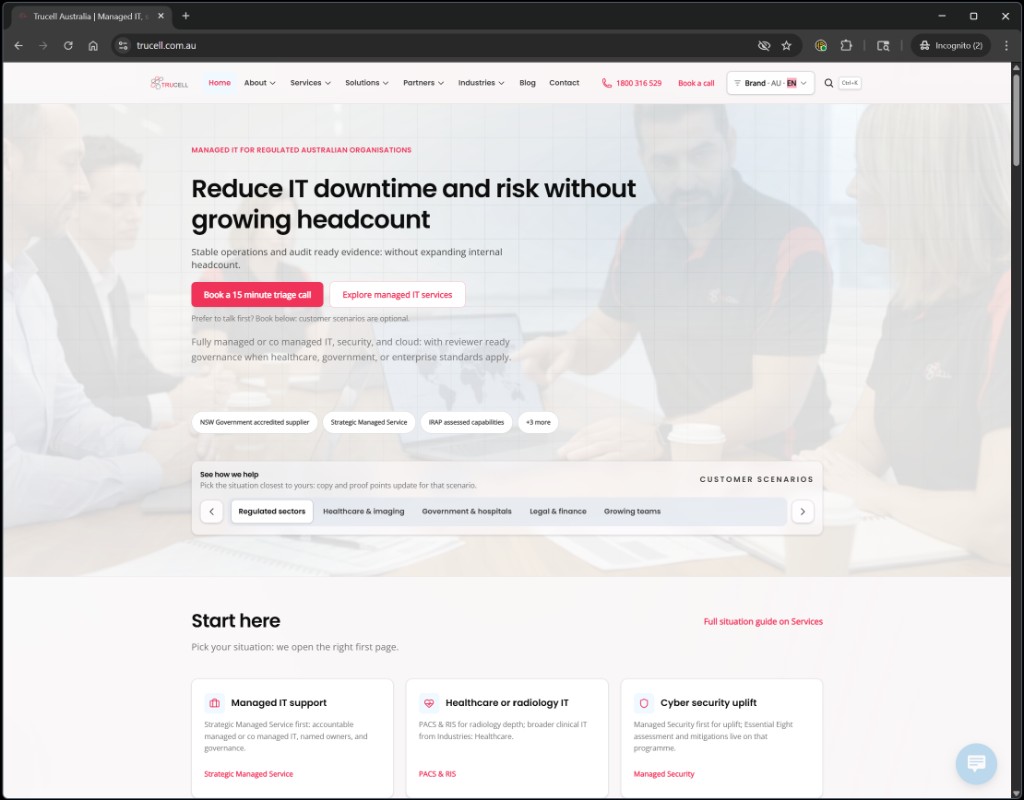
This is a short reader’s tour, not a launch announcement. We rebuilt the Trucell sites so that you can answer “is this the right partner for what I need?” without trawling through layers of generic copy. Here is what changed for you, and where to look.
Read the site in your region and your language
Trucell now publishes region-specific content for every market we operate in, so you read information that is true for your country instead of a translated approximation:
- Australia: Australian buyers, public-sector panels, NSW SOA references, IRAP-assessed capabilities, and clinical IT scale. Start at the home page.
- New Zealand: Whangaparaoa-based Support Techs, LG diagnostic depth, NZ-relevant compliance framing. Visit trucell.co.nz.
- Chile: full Spanish content covering soporte de TI gestionada, ciberseguridad, nube, imagen médica, y compras alineadas a esquemas de adquisición chilenos. Visit trucell.cl.
- Philippines: English by default, with Filipino and Tagalog content rolling out for blog cards and homepage rails. Visit trucell.ph and use the header language control to set your preference.
The region and language control sits in the page header (look for “Brand · AU · EN” or your current region). Your choice persists between visits.
Get from a problem to the right page in two clicks
We restructured Services, Solutions, Partners, and Industries so each side links to the others in context. Whichever entry point you start from, the related pages are one click away:
- Start on a service page like Managed Security Services and you will see the solutions, partners, and industries that engagement typically pulls from.
- Start on a partner page like Fortinet and you will see which Trucell services and solutions actually use that vendor in delivery, with named outcomes.
- Start on an industry page like Healthcare and you will see the services, clinical solutions, and partner stack that matter for that sector, not a generic list.
The intent: you should not have to back out to a hub page and start over.
See real customer outcomes next to the offer
Each service, solution, and partner page now carries customer references for that line of work, with backlinks to the case study so you can read what actually shipped. A few worked examples:
- On PACS & RIS, you will see the Crystal Radiology DICOMJet expansion, the Westside Medical Imaging RadForms trial, and the Baulkham Hills fit-out.
- On Network Services, the radiology Fortinet rollout and the cold-storage Wi-Fi + WMS deployment.
- On Hardware Procurement, the practical small-scale work like the Leichhardt HP All-in-One upgrade.
The home page now also surfaces the latest case studies under “Related insights” alongside the service descriptions, not buried at the bottom.
Know who will actually deliver your work
The About Trucell page showcases the people behind the practice: leadership, technical owners, and how the team is structured. Why this matters for you: under any regulated procurement, your governance committee will ask “who runs this for us?” The answer should be a real team with named owners and clear responsibilities, not a faceless brand.
If you are evaluating Trucell for a clinical or government scope, this is the page to share with your committee.
Know how Trucell hires
The Careers page is rewritten to explain Trucell’s approach to recruitment and employment: how candidates are assessed, how new staff are trained on our systems, and how delivery quality stays consistent as the team grows. We are only as good as the staff we employ, and consistent hiring is what keeps your operations predictable.
If you are about to sign a multi-year managed service or co-managed arrangement, this page tells you how the people on your account will be selected and developed. Worth a read before you sign.
Other things you can now do that you could not before
- Search the site: keyboard shortcut Ctrl+K (Cmd+K on Mac), powered by Pagefind. Returns hits across services, solutions, partners, industries, and Insights.
- Mobile experience: the site now meets WCAG 2.2 touch-target requirements, the header stays inside the viewport on Pixel-class screens, and the language and region selector stays accessible on small viewports.
- Routed contact: the Contact form lets you tell us your sector and intent, so the enquiry goes to the right practice lead instead of a generic inbox.
- Bot-resistant email: addresses on the site are obfuscated against scrapers; you still get the live address as a real visitor.
How to use the site if you are evaluating us
- On the home page, pick the situation that matches your current pain: managed IT support, healthcare or radiology IT, cybersecurity uplift, cloud, hardware, or replacing your MSP.
- Read the destination service page and follow the linked customer references.
- If the fit looks plausible, open a partner or solution page that matches your stack to validate vendor depth.
- Use Contact and tell us your sector and intent. Expect a routed reply from a practice lead, not a generic auto-response.
If something is missing or wrong
We will keep iterating on these pages. If you read something that does not match what you need, or you cannot find the path you expected, tell us#landing_page=%2Fblog%2Ftrucell-new-website-launch%2F with the URL and what you were looking for. We would rather fix the page than have you bounce.
For background on the Insights editorial direction, see Welcome to Trucell Insights. For governance-level reading on how IT, security, and vendors hold together, see IT strategy and the virtual CTO.